 Back
Back
Published 2026.08.29
Just what the people have been clamoring for: a computer-animated music video for my cult-classic 2023 hit Cats Like Custard. It's got cats, it's got custard, what else could you ask for? Without further ado, please enjoy the show.
You may have noticed my affinity for 3D modeling and animation from the fun icons that pepper this site. I began making that style of 3D art a few years ago in PicoCAD, then later in PicoCAD 2. I think those are great pieces of software; instantaneous, fun, easy to learn, but with plenty of room to improve your skills and make nifty things. They make it easy to produce stylistic, low-poly models and animations. However, recently I determined I'd hit some frustrating limitations with it; specifically the lack of a way to add real physics or articulation to models. For example, the watch icon, is honestly a bit of a marvel if you consider how it was made: every link in the bracelet is a separate model animated meticulously on its own. It probably took me 4 hours to get the clasp to be even remotely convincing.
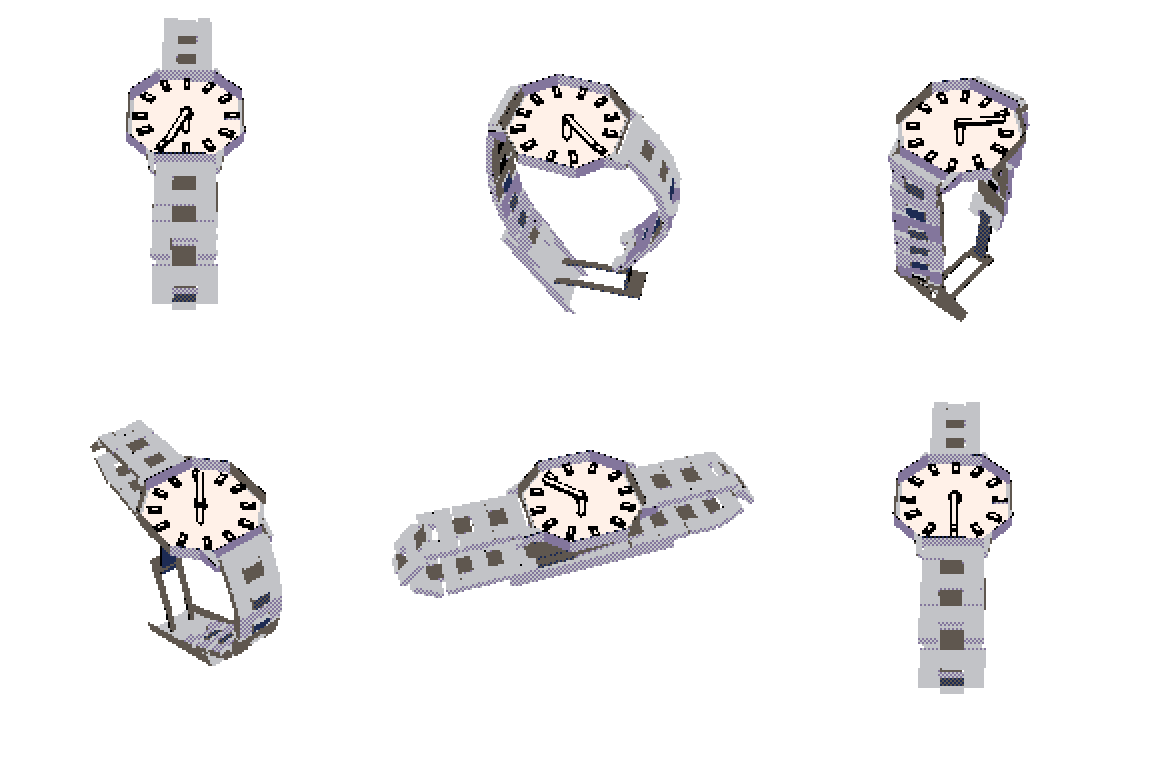
So I wanted to check out what I could do with Blender. Blender is the most popular free and open source 3D modeling and animation software. It is the default choice for this kind of thing. It is tremendously deep and capable, at the expense of having a bit of a learning curve.
I've tried to learn Blender a half dozen times in my life but always found it a bit too complicated and esoteric. But I've been on a real hot streak recently figuring out new software, such as Inkscape and GIMP, so I thought I'd give it another go; besides, it had been years since I'd seriously tried it, so I thought maybe it would have improved. While I'm not sure if it's gotten more user-friendly or if I'm just more determined this time, before too long I managed to make a different watch animation which took much less time to animate than the PicoCAD version.

This little proof of concept animation demonstrates some basic lighting and materials, as well as an articulated model with some rigid body physics. There are things I wasn't able to get quite right; the clasp articulation is still a bit off and overall it's a little rough around the edges, but I'm still reasonable happy with it.
The next things I took on were "floppy/bendy physics" and hair simulation. Neither of these made it directly into the Cats Like Custard video but both were helpful to figure out in their own way. Blender's hair simulation is actually how I did the feathers on the bowl in the Cats Like Custard video, but instead of hair, it uses a feather model. With some hair and some floppy physics, I was able to create this little bunny video. The grass is actually also a hair simulation, which is how it moves and reacts to the hopping bunny.

Next up: liquid simulation. If I wanted to make cats and custard, I would need to be able to make some custard. This is about where I started getting frustrated with the speed of my main computers. These days, I'm doing all my computing on lightweight Linux machines since I've grown pretty fed up with Windows. I primarily use a ThinkPad X1 Carbon for my main laptop (a great, lightweight little thing, but sadly lacking any graphical capability) and a ThinkCentre micro PC as my main desktop computer. Neither one can really render scenes in Blender particularly fast. I do have an older gaming PC with Windows on it, but I barely use it. Eventually, I wrote a script to handle rendering remotely from that computer (which has a GTX 1070 in it, which I guess is an antique now). The script compresses any cached files (physics bakes, etc.) into a tar.gz, uploads this along with the Blend file, unpacks it all, runs a render from the Blender CLI, downloads the output, and cleans everything up. It's a nifty little system that works pretty well. With that taken care of, I was able to speed up the biggest time sink in my Blender work. That enabled me to fine tune the liquid simulations I was working on, which eventually yielded this little demo. I think the viscosity of the fluid is fairly custard-like, and the simulation doesn't seem to gain or lose volume or sink through the bowl. I learned that getting these things to work is a lot harder than one might think.

Lastly, I needed to learn some modeling and rigging for characters. I went with a sort of low-poly cel-shaded style. It's not perfect, but I was able to create a cat model with decent articulation that I feel manages to avoid being too uncanny valley. Here's a close up of the model in action, featuring the cat playing with a ball of yarn. The ball of yarn is another thing that took some figuring out. I wasn't sure if I wanted to use the same sort of floppy physics as the bunny ears, or if I wanted to do a cloth simulation. I eventually settled on the cloth sim as it was easier and seemed slightly more realistic. The shading in this early proof of concept from the yarn cat is a bit odd, but it showcases the articulation of the model well. One thing I quite like about this cat model is that I managed to make one that more or less works both vertically (anthropomorphic) and horizontally (more like a real cat). It's definitely not perfect, and has a few issues with the rigging (as well as some careless errors in posing that a keen-eyed viewer can spot in the finished video that I was too lazy to fix) but this is all still a learning process for me.

With all those tools in my toolbox, I was ready to take on the task of cobbling together this short music video with multiple "characters" and a "plot" of sorts. Luckily, it is a very short song. I decided to publish it in its current state despite a few issues, because I think I'm ready to move on to something else. If I had to redo anything, I would certainly fix a few wonky poses (some of the cats' arms get twisted all the way around leading to some strange deformation) and make the camera movements a bit less... bad. But all in all, I think this was a worthwhile and entertaining endeavor. I hope you enjoy it!